The page scrolls itself, because it is listening to you.
A free teleprompter for recording video: you type the script on one device, read it from another, and the text follows your voice. We built the pairing between the two screens, the live connection and the self-repair that keeps speech recognition working through long takes. It is live now, with no account.
Started from the MIT-licensed voice-activated teleprompter by Julien Lecomte. Voice scrolling works in Chrome on desktop and Android.
- Project
- Our own free tool
- Our work
- Pairing, live sync, Russian speech, reliability, hosting
- Timeline
- Built May to July 2026
- Stack
- React, TypeScript, FastAPI, WebSocket
- Status
- Live at teleprompter.coscore.us
What you get
From two devices to a script that follows your voice, in four steps.
-
Open the display
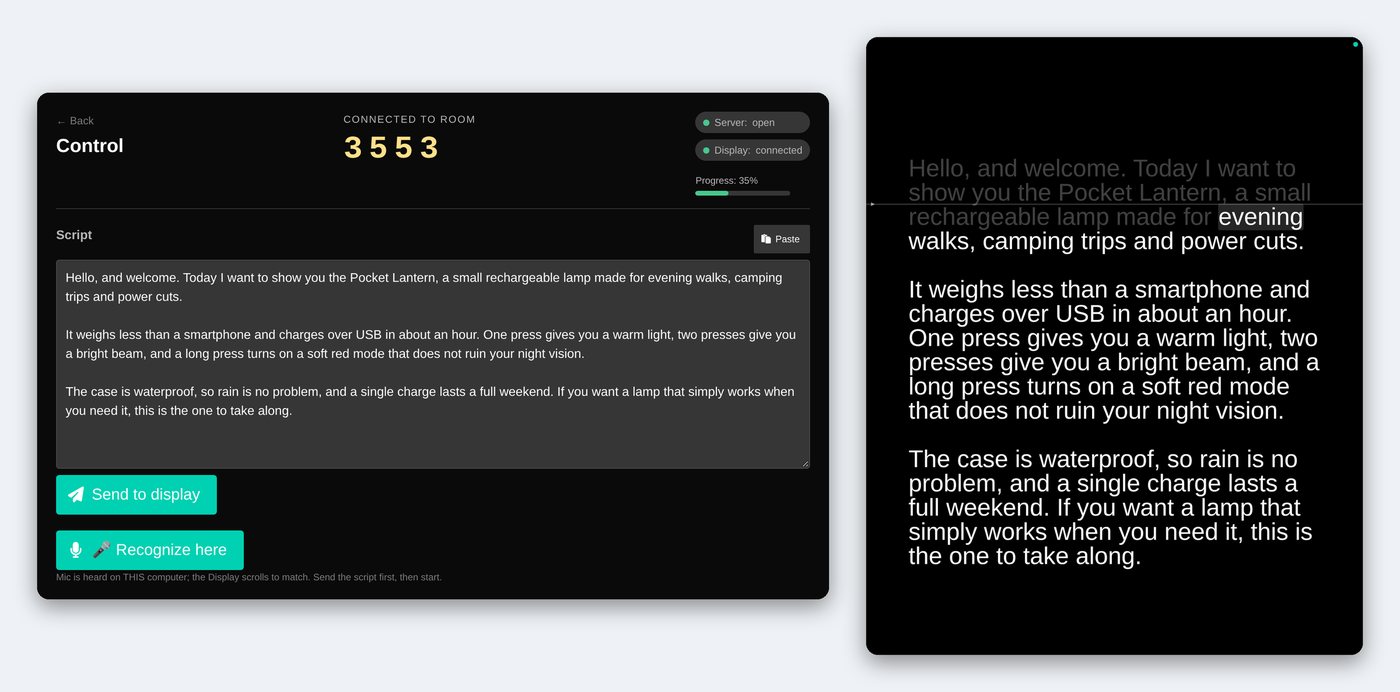
On the tablet or phone you will read from, open the Display page. It shows a four-digit room code.
-
Enter the code on the laptop
Open the Control page and type the code. Both screens say they are connected. No account, no sign-up.
-
Send the script
Paste or type the script on the laptop and press Send. It appears on the display right away. If it shows mirrored, Flip in the settings turns it around.
-
Read aloud
Press Recognize here and start reading. The display marks your word, fades what you have read and keeps your place on a fixed line.
What comes out
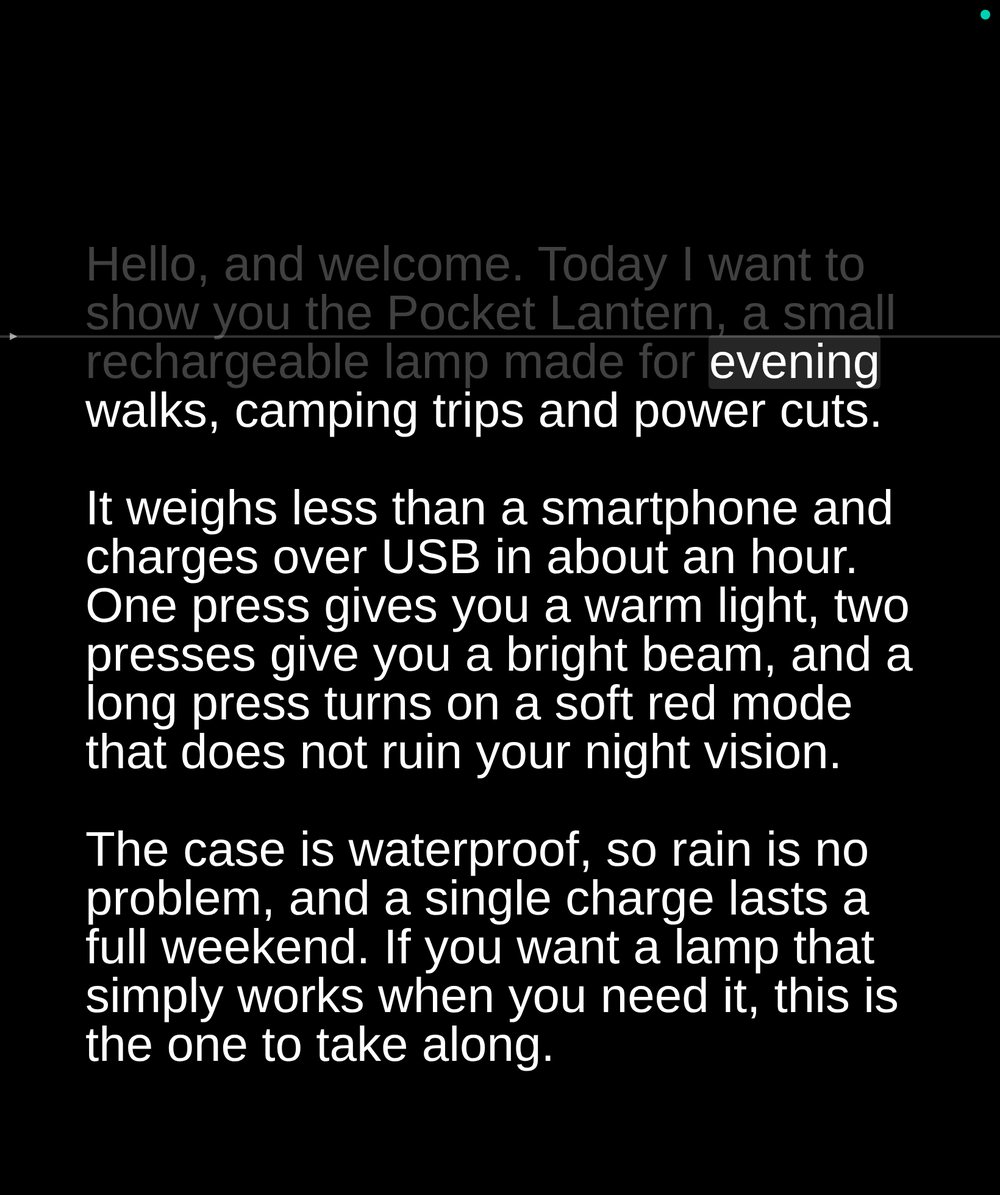
The reading screen in the middle of a script: the part you have read has faded and your current word is marked.
- The current word gets a tinted background instead of bold type, so lines never reflow or jump.
- Words you have read fade, and the rest stays at full brightness.
- A fixed reading line sits a quarter of the way down, and the text moves under it.
- The laptop shows the same place in a clickable preview, so you can restart from any word.
How it stays reliable
A take should never stop because the software lost its place. Four rules built into the code.
The laptop listens, the display follows
Phone and tablet browsers recognize speech less accurately than desktop Chrome, so by default the laptop listens and sends your reading position to the display. A mode where the display listens by itself is kept as an option.
The scroll cannot run ahead
Mobile speech engines sometimes guess a whole paragraph past what you said. The reading position moves forward no faster than about seven words a second, faster than anyone reads, so only the wild jumps are cut. Moving back to correct a mistake is never limited.
The recognizer repairs itself
Browser speech recognition can stall in long sessions. If no words arrive for twelve seconds, the recognition session is restarted from scratch. Failed restarts are retried with growing pauses, and a session older than four minutes is replaced instead of resumed.
Nothing is kept
There is no database. A room and its script live in server memory, the script is capped at 256 KB, and a room with nobody connected is deleted after about an hour.
Need two screens to work together live?
We build small real-time tools like this one, from the pairing and the live connection to the hosting. Tell us what yours should do.
Tell us what's slowing you down.
You get a free written review by email within two business days.